
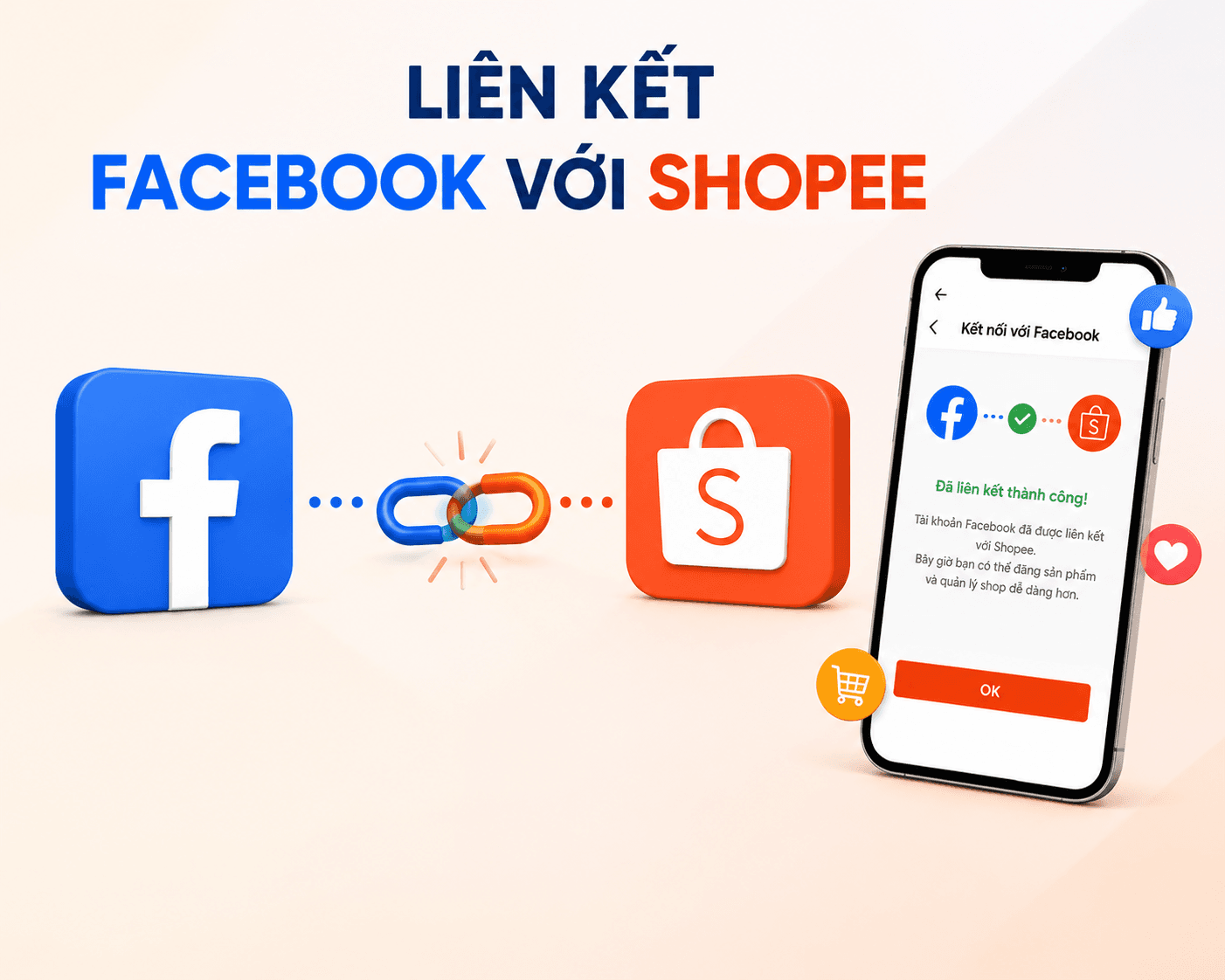
Linking Facebook with Shopee helps sellers easily share products, promote their store, and reach more potential customers. Connecting these two platforms also supports more effective multi-channel selling and online brand building. Like3s will help you complete the linking steps quickly and as simply as possible.
Did you know? Tips for building a stable follower base for your personal page.
Why Link Facebook with Shopee?
When you connect the two social media platforms Facebook and Shopee together, you can:
Quickly share your Shopee store's products to Facebook.
Increase traffic to your Shopee store.
Promote products on your Fanpage and personal profile.
Support the most effective multi-channel selling.
Expand your reach to more potential customers.
Requirements for Linking Facebook with Shopee
Before getting started, make sure you have the following:
An active Shopee account.
A personal Facebook account or Fanpage.
Facebook logged in on the device you are using.
The Shopee app updated to the latest version.
How to Link Facebook with Shopee on Mobile
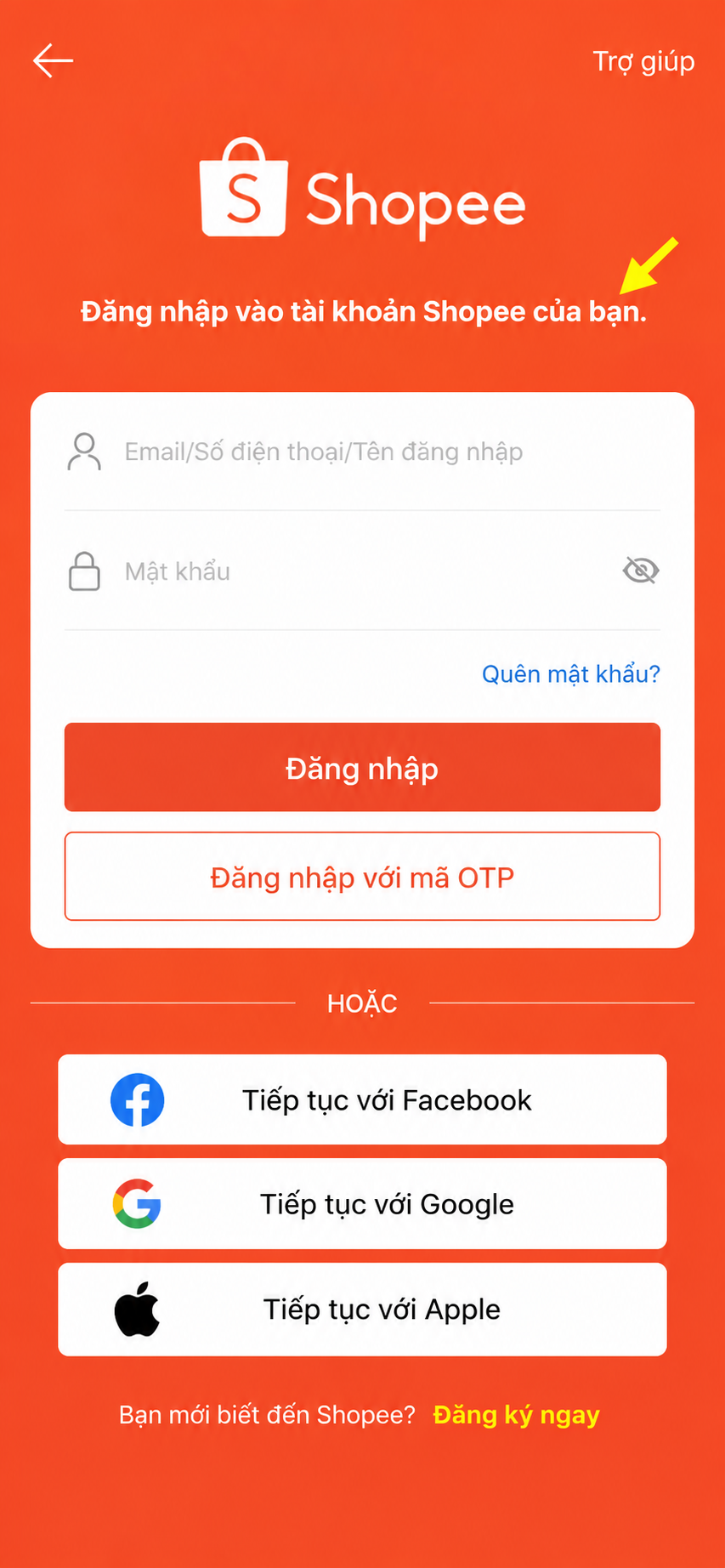
Step 1: Open the Shopee app
Log in to your Shopee account.
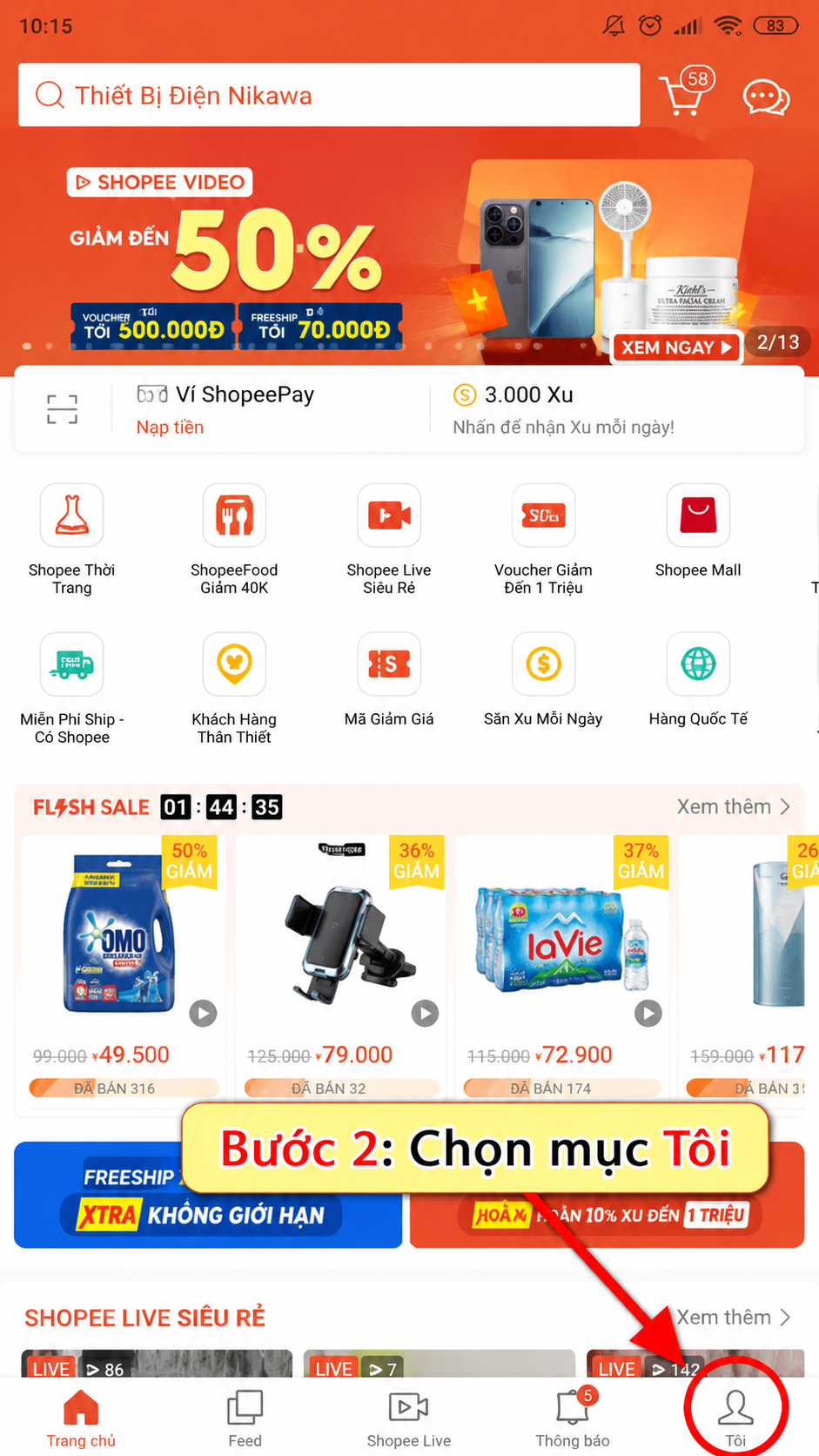
Step 2: Go to "Me"
On the main screen, tap the Me icon at the bottom right corner of the screen.
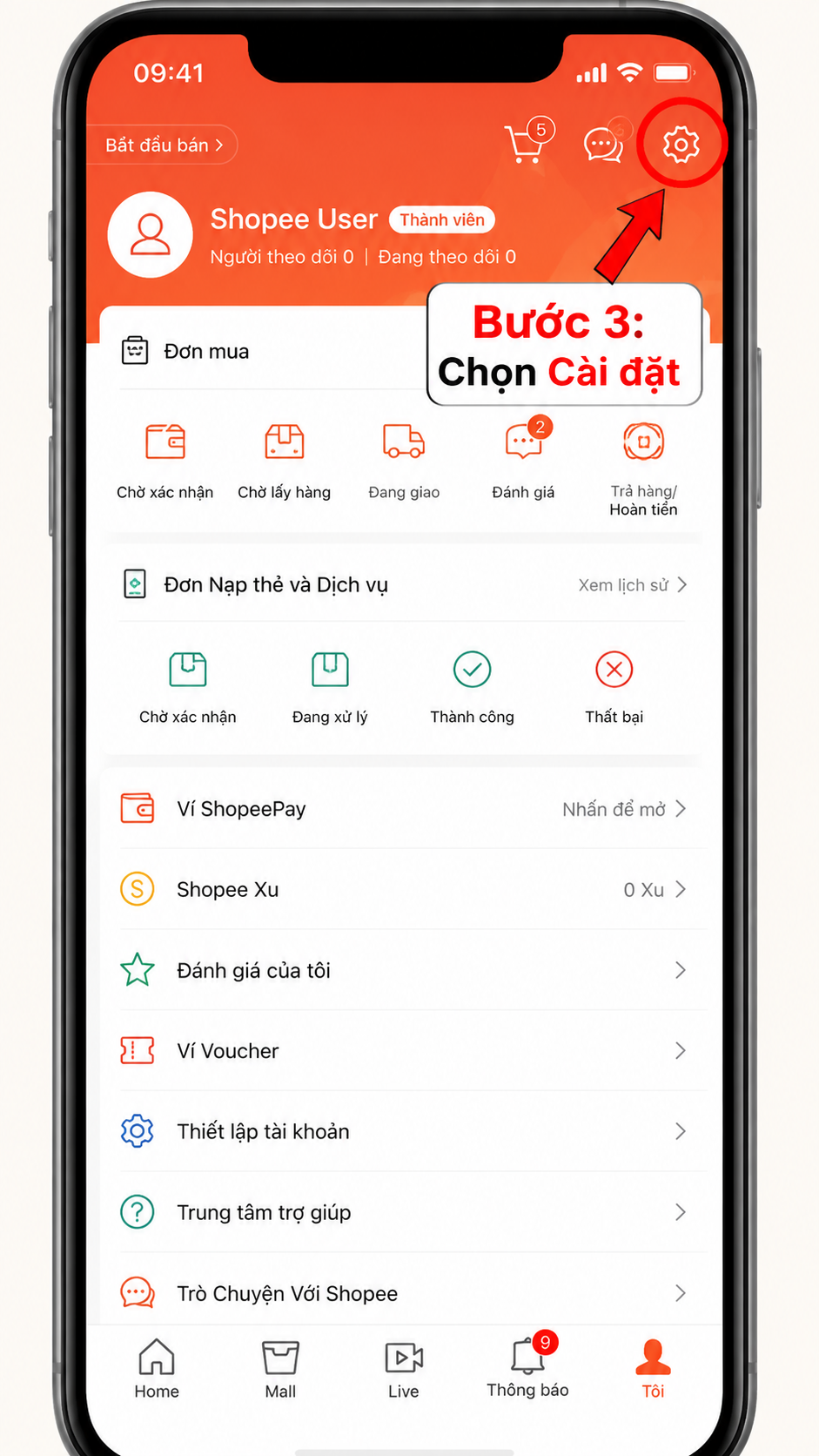
Step 3: Open Settings
Tap the gear icon (⚙️) in the top right corner.
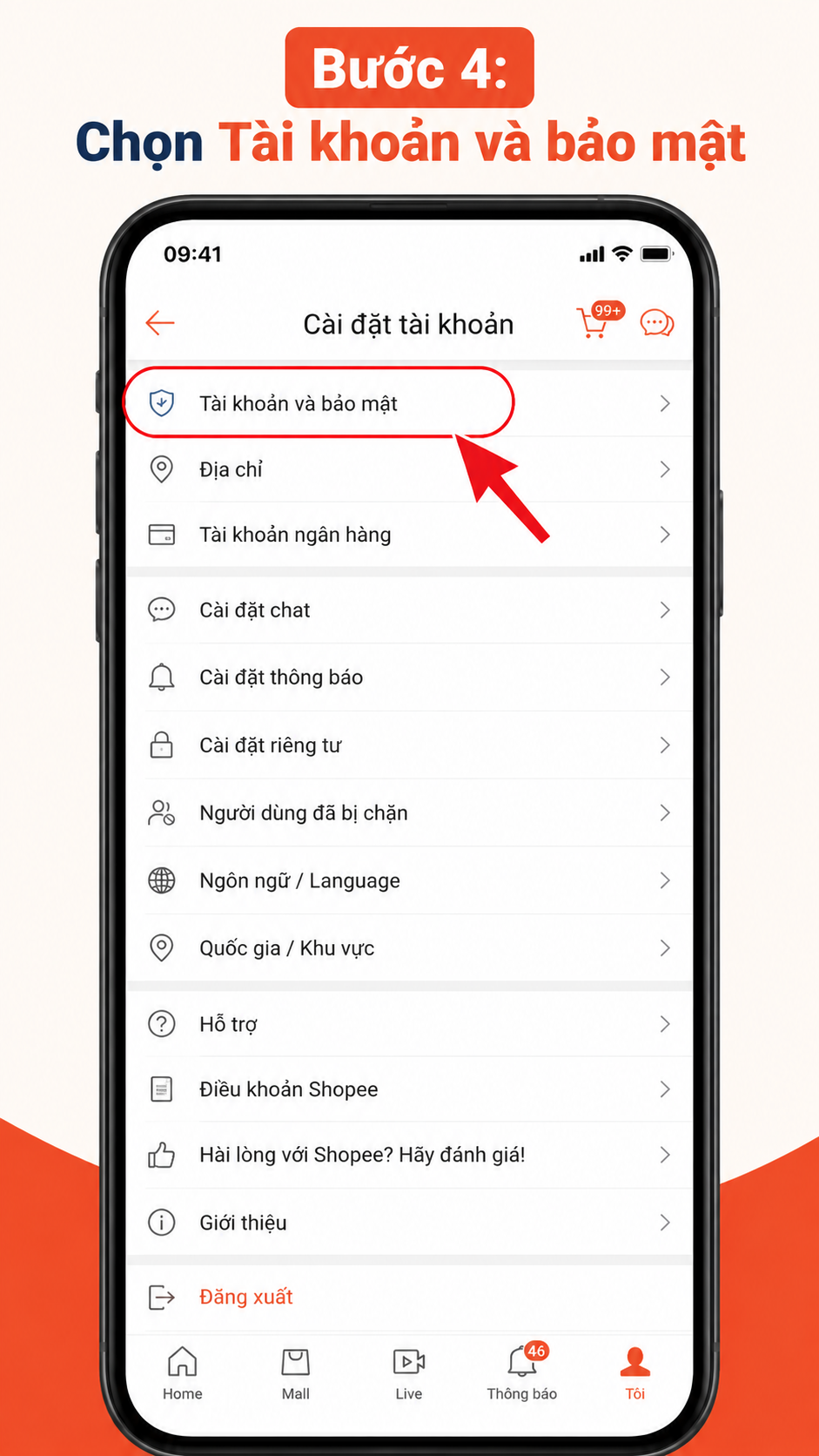
Step 4: Select "Account & Security"
Here you will see the account linking options.
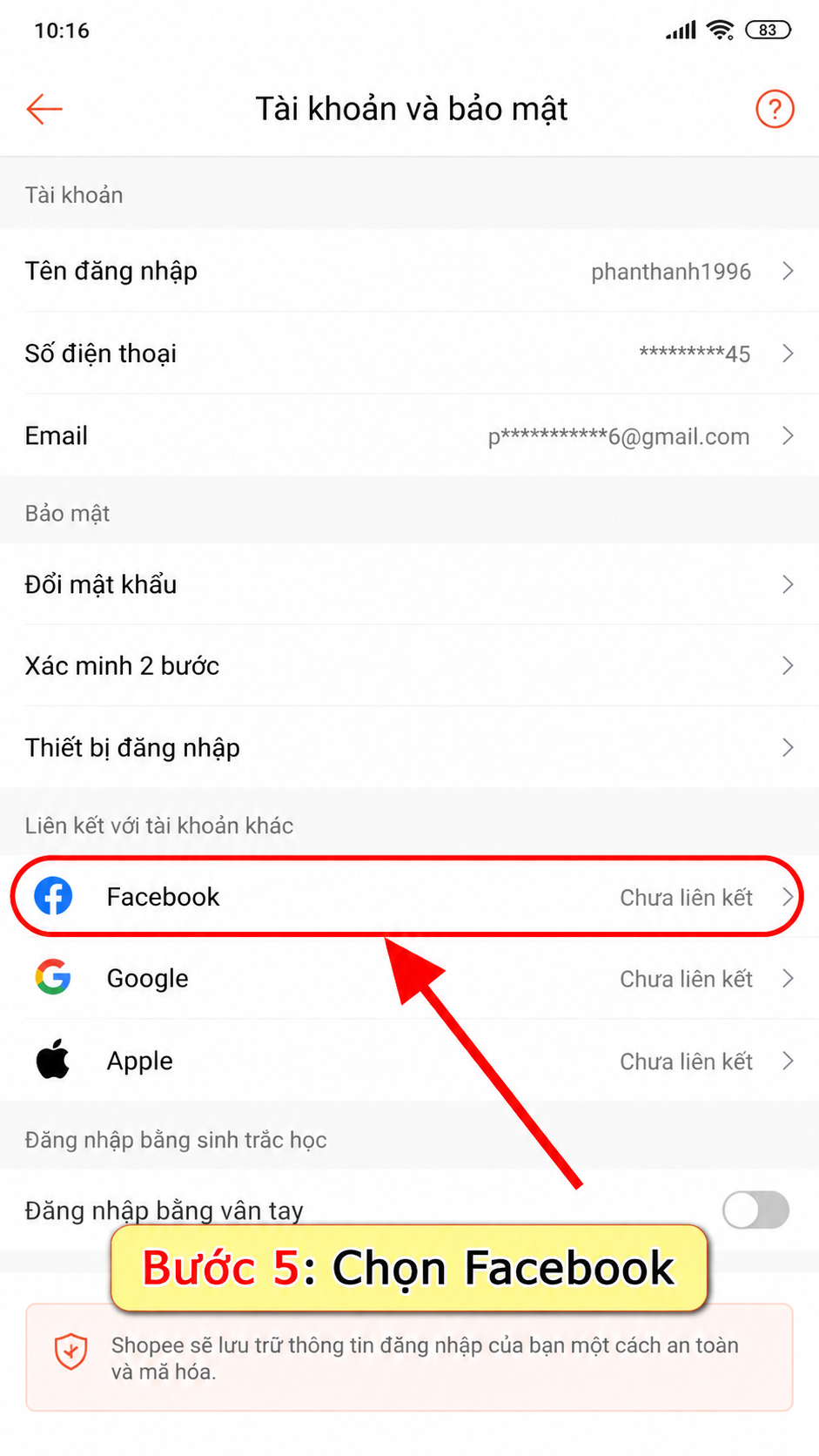
Step 5: Link Facebook
Tap Social Accounts -> you will see Link Facebook
Shopee will redirect you to the Facebook login screen.
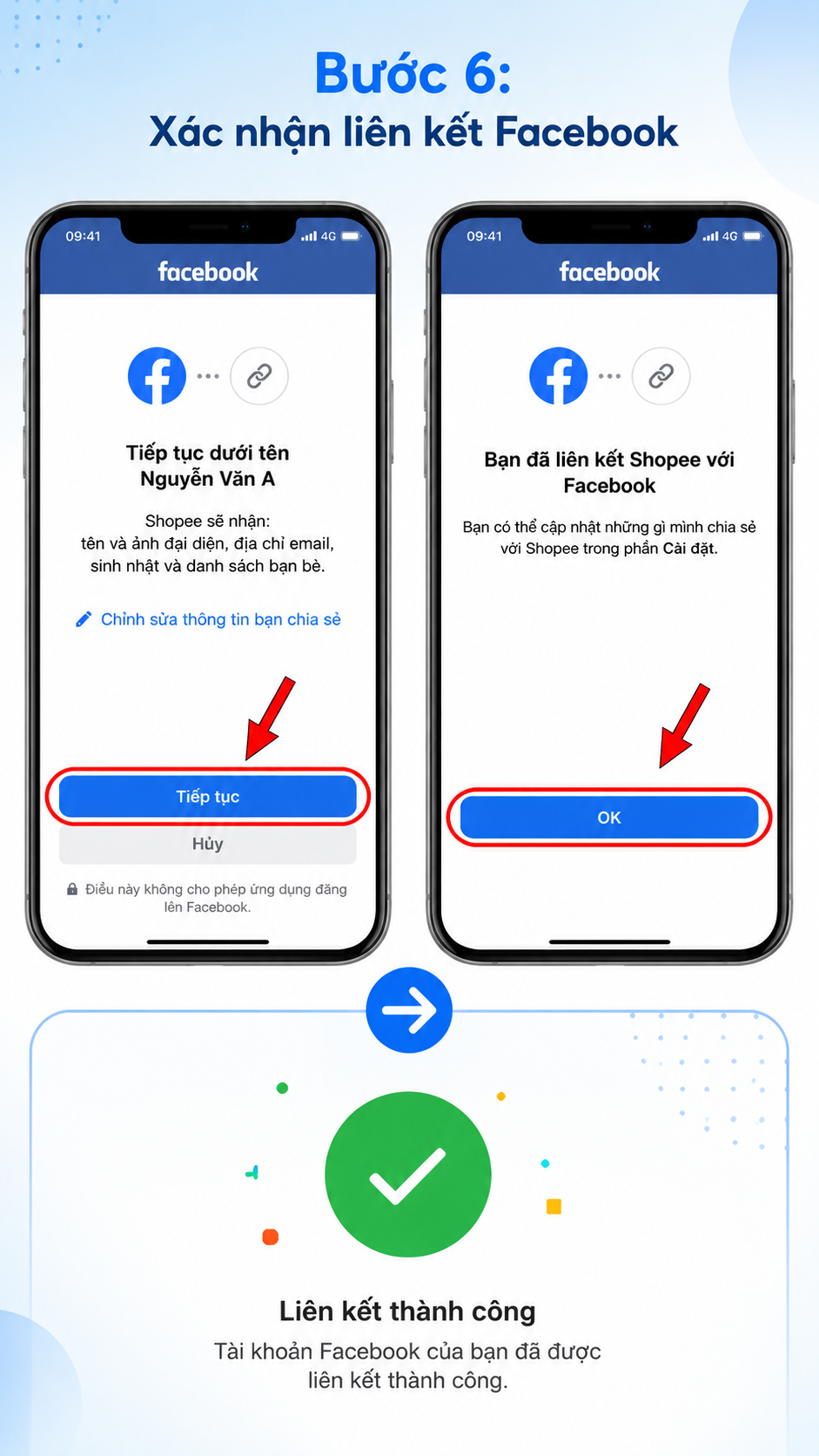
Step 6: Confirm the connection
Log in to Facebook (if not already logged in) and select Continue or Allow to grant connection permissions.
Once complete, the system will notify you that the link was successful.
How to Share Shopee Products to Facebook
After linking successfully:
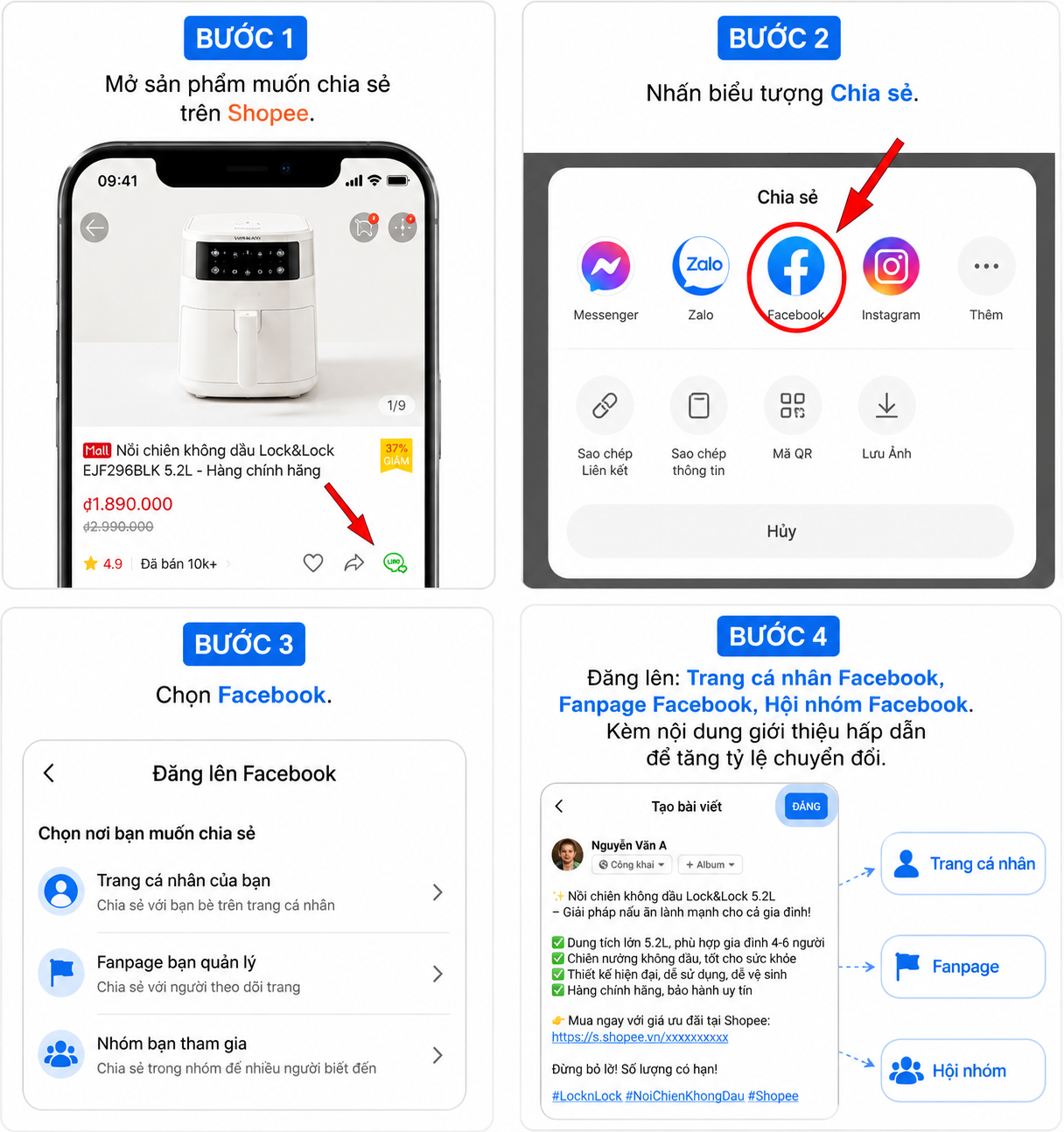
Step 1: Open the product you want to share on Shopee.
Step 2: Tap the Share icon.
Step 3: Select Facebook.
Step 4
Post to:
Your personal Facebook profile
Your Facebook Fanpage
Facebook Groups
Add engaging promotional content to increase your conversion rate.
Why Can't I Link Facebook with Shopee?
Some common causes:
Facebook not logged in: Log back in to Facebook on your device.
App version too old: Update Shopee to the latest version.
Network connection error: Check your Wi-Fi or mobile data.
Facebook access restricted: Try logging out and back in to Facebook.
Shopee system error: Wait a few minutes and try again.
How to Unlink Facebook from Shopee
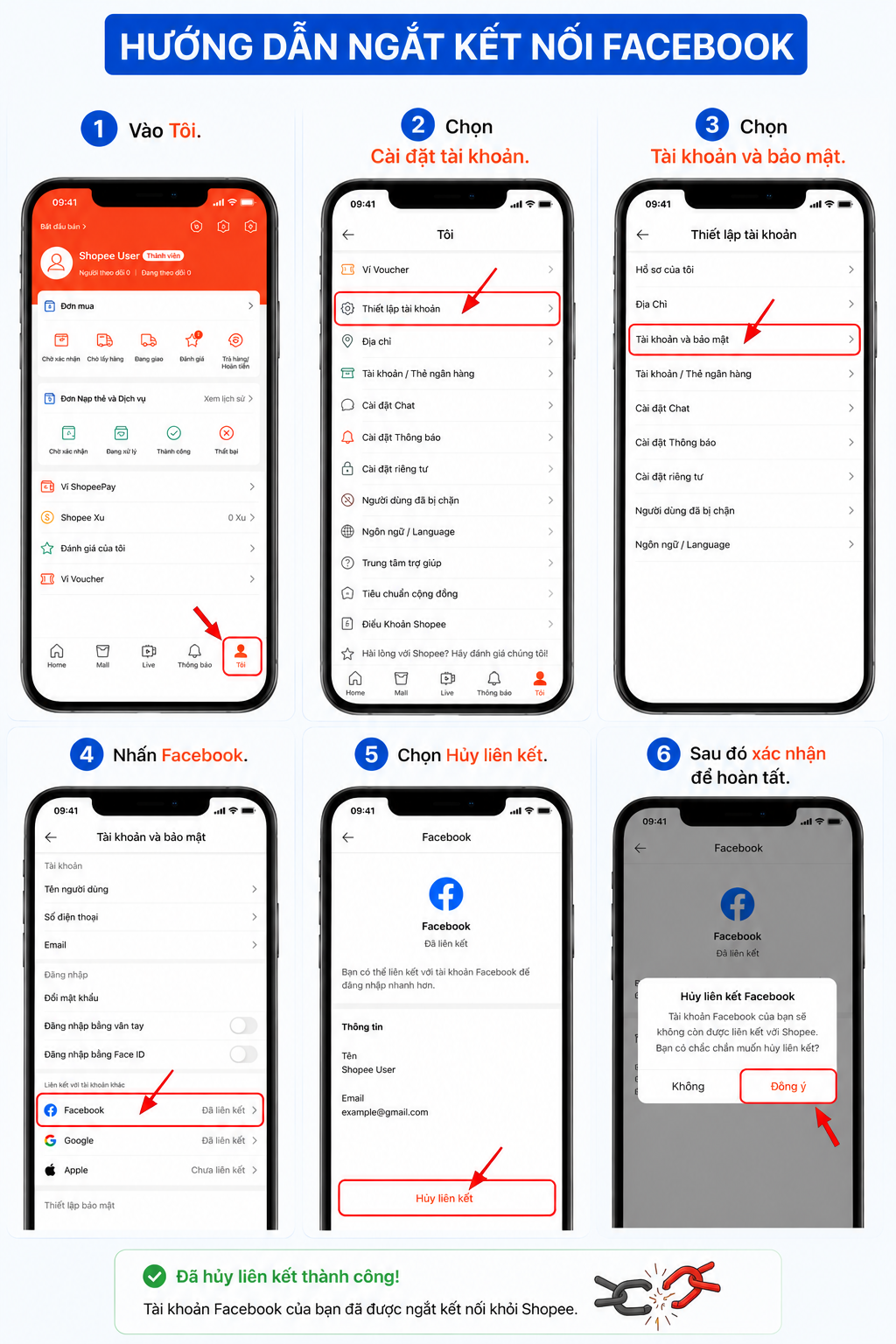
If you want to disconnect:
Go to Me.
Select Account Settings.
Select Account and Security.
Tap Facebook.
Select Unlink.
Then confirm to complete the process.
Conclusion
Above is a detailed and easy-to-follow guide on How to Link Facebook with Shopee. We hope this information helps you use social media platforms more effectively. Don't forget to follow Like3s for more useful tips on other digital platforms.
See also:
How to Register a TikTok Shop Account in 2026 – Simple & Fast from A to Z
How to Apply for Facebook Verification (Blue Tick) – Latest Guide 2026
How to Enable Facebook Two-Factor Authentication 2026: Step-by-Step Guide for All Devices
The Like3s content team — sharing algorithm insights, case studies and channel-building strategy.