
Scheduling posts on Facebook is a solution that helps individuals and businesses manage their content effectively without having to manually monitor the clock. Instead of having to be online at the exact right moment, you can schedule posts in advance, ensuring your content goes live during peak hours — when users are most active on Facebook. Let's explore this topic in more detail with Like3s.
See also: How to Attract More Followers to Your Facebook Personal Profile
What is Post Scheduling on Facebook?
Post scheduling on Facebook is a feature that allows you to plan ahead so that a post is automatically published at a specific future date and time, rather than having to post manually. It helps you manage content efficiently, save time, and optimize your reach during peak hours — making it extremely useful for both Fanpages and personal accounts (when Professional Mode is enabled).
This solution is especially suitable for busy individuals or those managing multiple fanpages at the same time.
Why Should You Schedule Posts in Advance?
Scheduling posts in advance offers many practical benefits for business operations and brand building:
Post during peak hours to maximize reach
Keep your fanpage consistently active every day
Never miss a post when you're busy with other tasks
Reduce the burden of manual content management
Optimize operational time for both individuals and businesses
Who Should Use This Feature?
This solution is suitable for a wide range of users, especially:
Online shop owners
Companies that need to manage multiple Facebook sales pages simultaneously
Users building their personal image and brand on Facebook
Marketing teams and media agencies
If you need to post frequently and on schedule, Facebook post scheduling is an essential choice.
How to Schedule Facebook Posts on a Computer
Below is a detailed guide on how to schedule Facebook posts on a computer:
Step 1: Go to Facebook in your desktop browser and open the fanpage or personal page you manage.
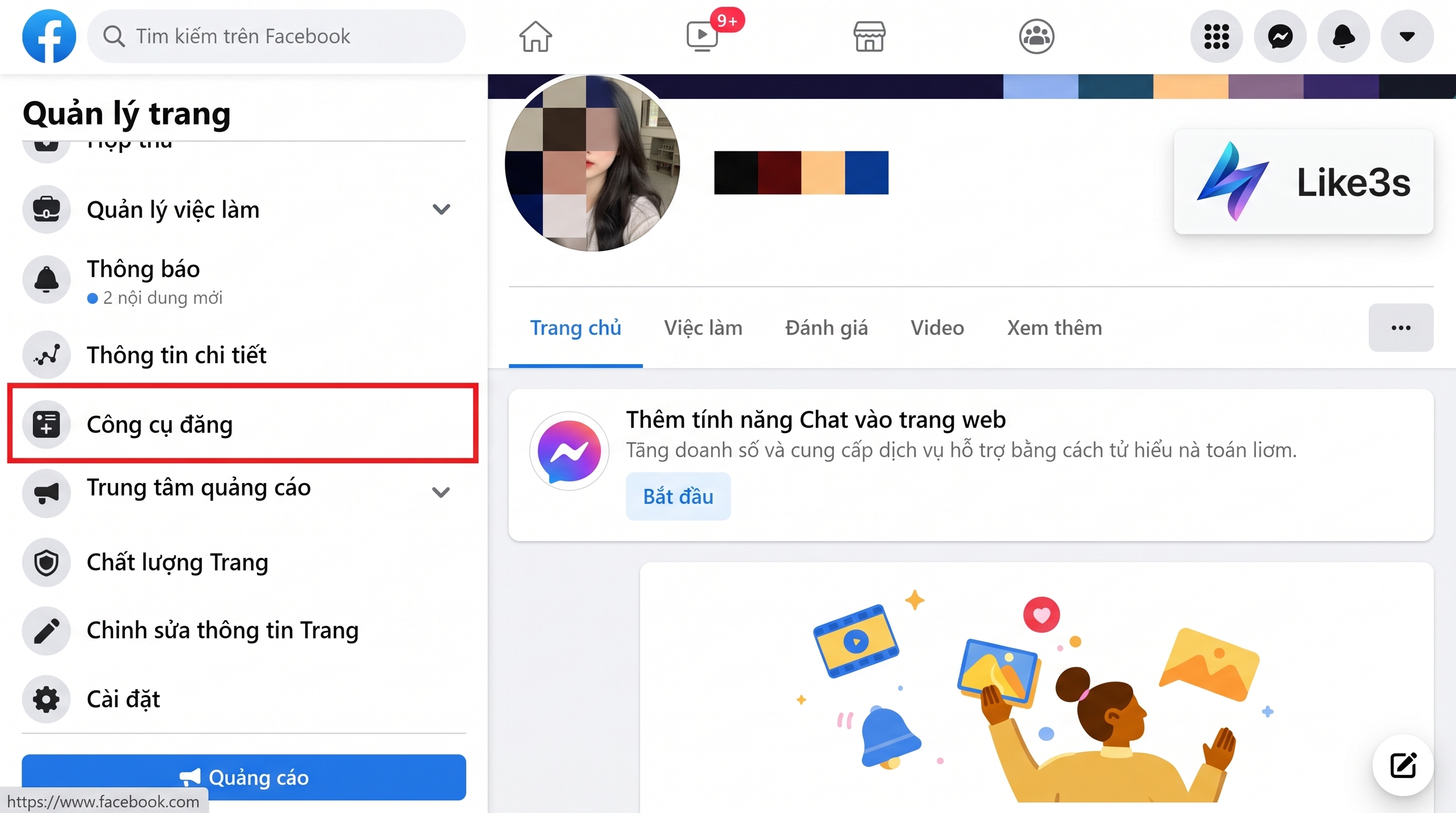
Step 2: In the page management interface, click on Publishing Tools in the left-hand menu bar.
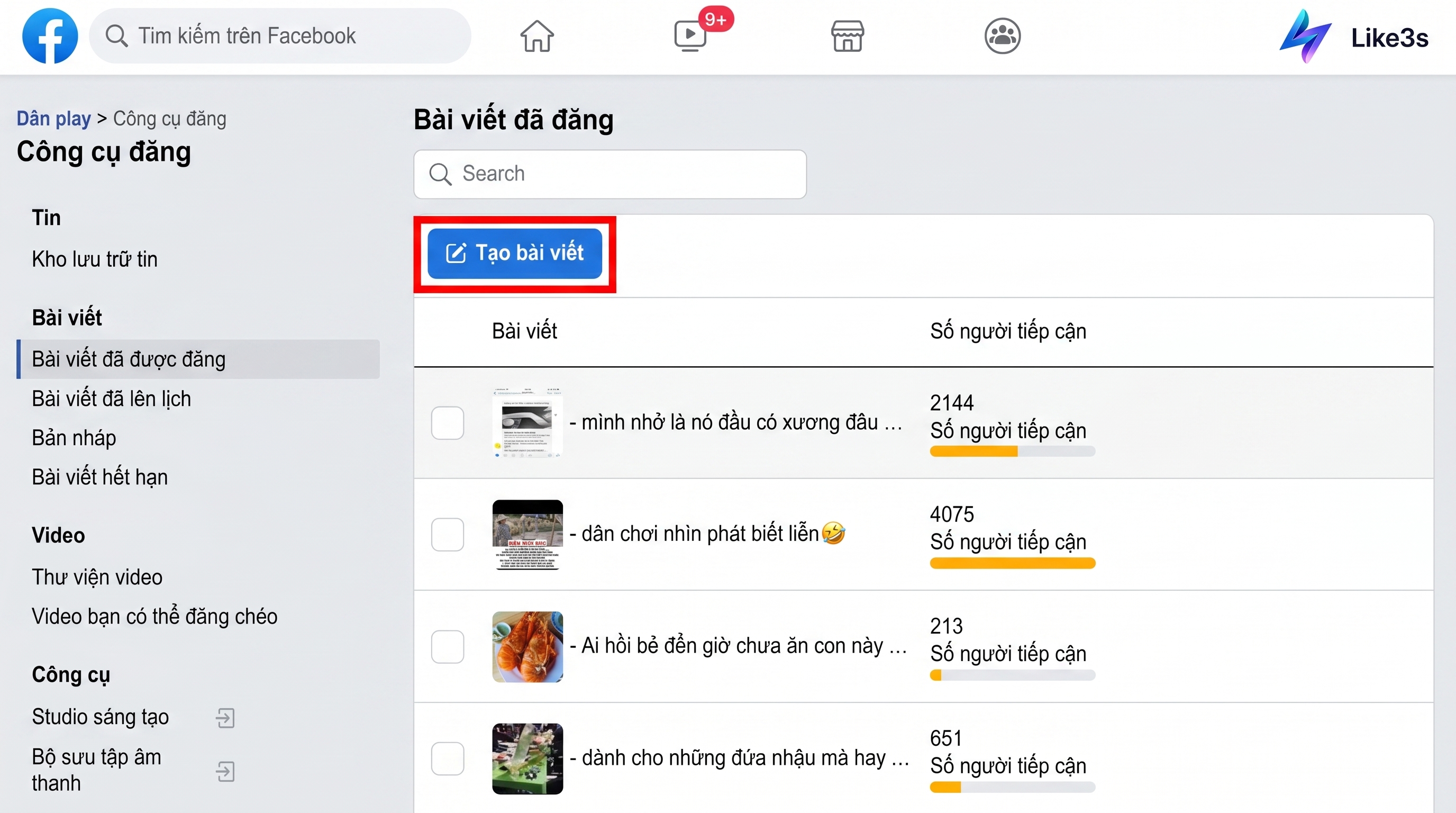
Step 3: In the Publishing Tools area, click Create Post to start composing your content.
Step 4: Enter the content you want to publish, then select Schedule Post to set the desired publishing time.
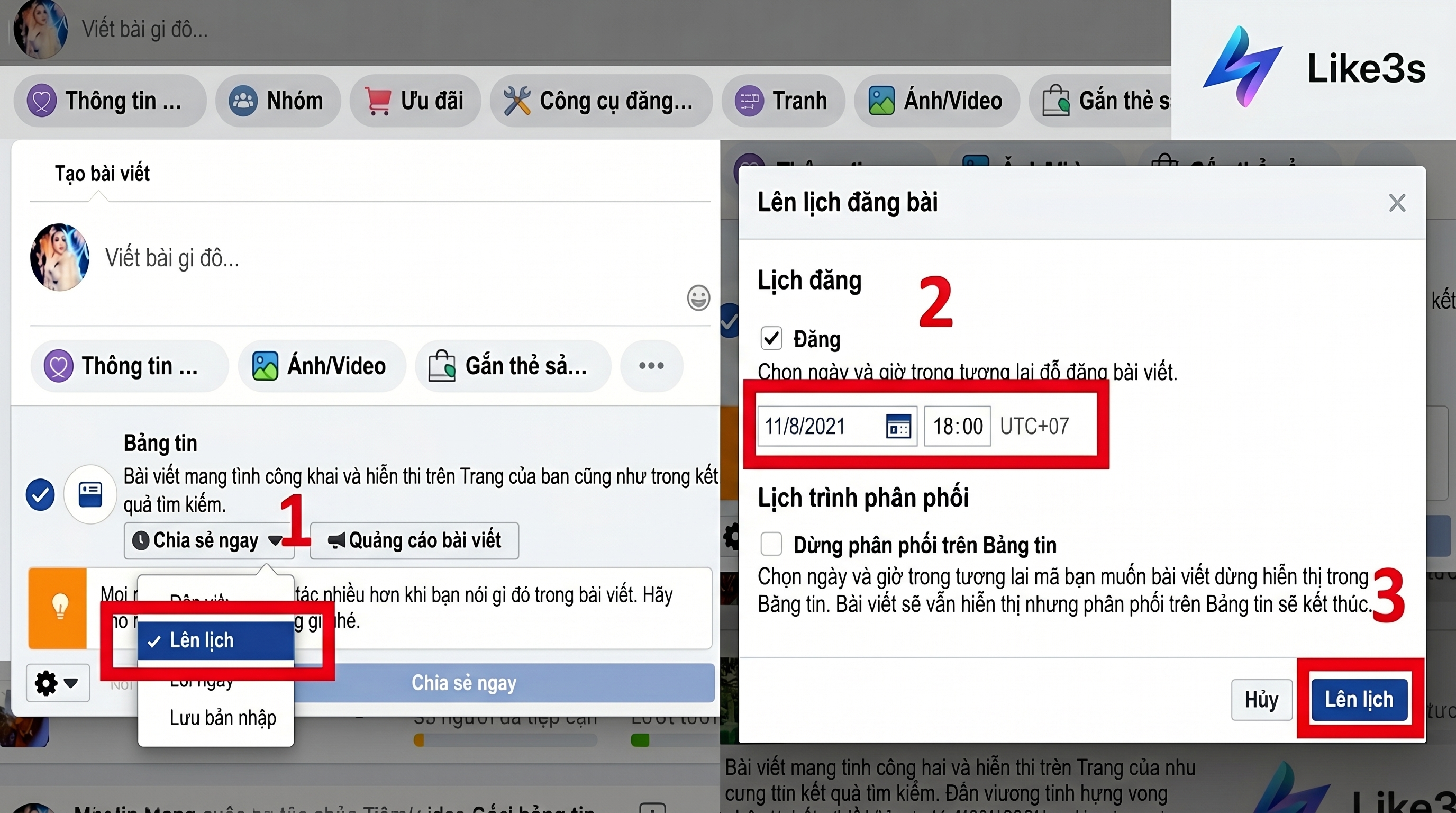
Step 5: Return to the post creation interface to finalize the process. The Share Now button will be replaced by Schedule — simply select the appropriate time to complete the scheduling.
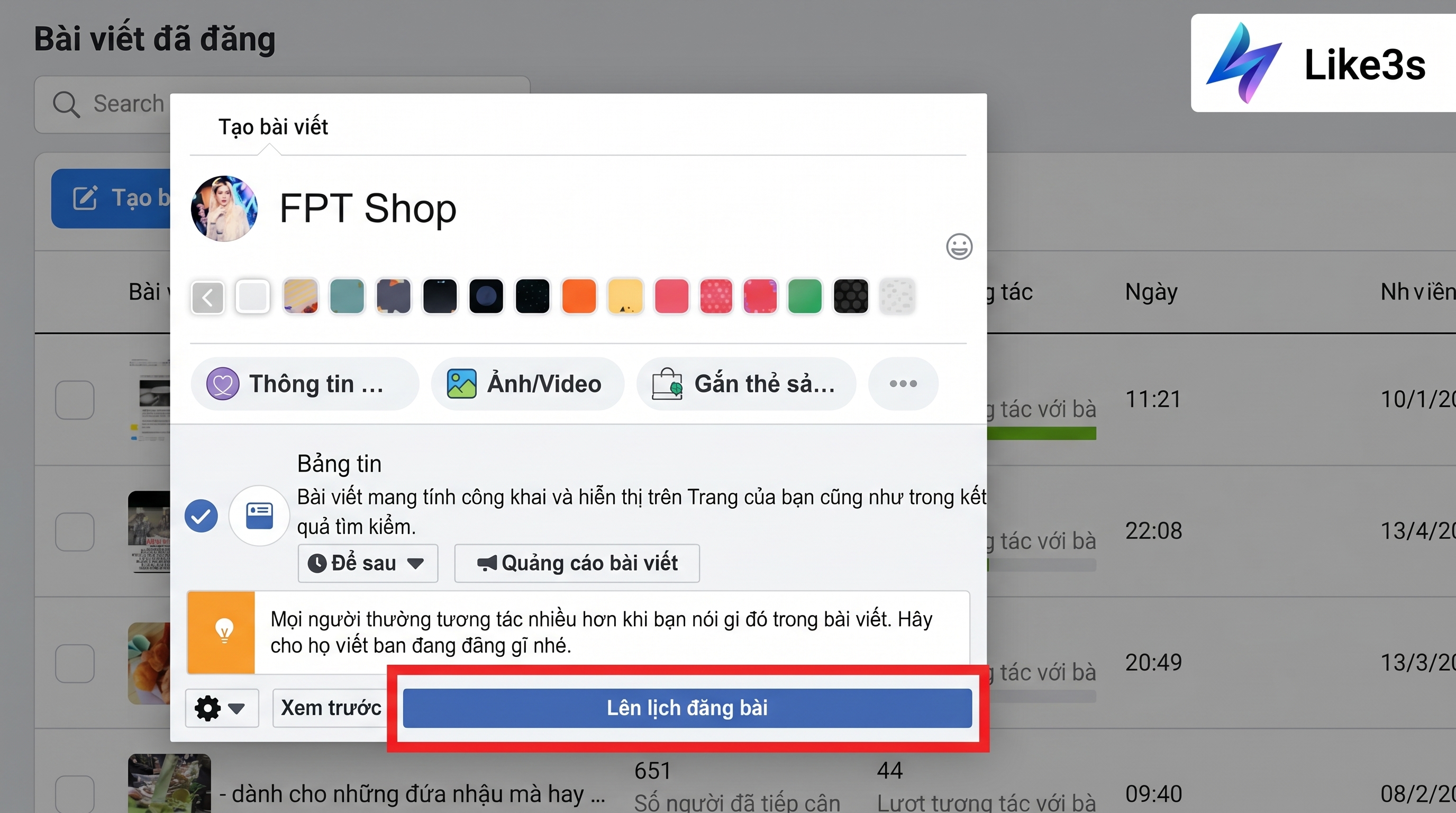
How to Schedule Facebook Posts on a Mobile Device
Below is a detailed guide on how to schedule Facebook posts on a mobile device:
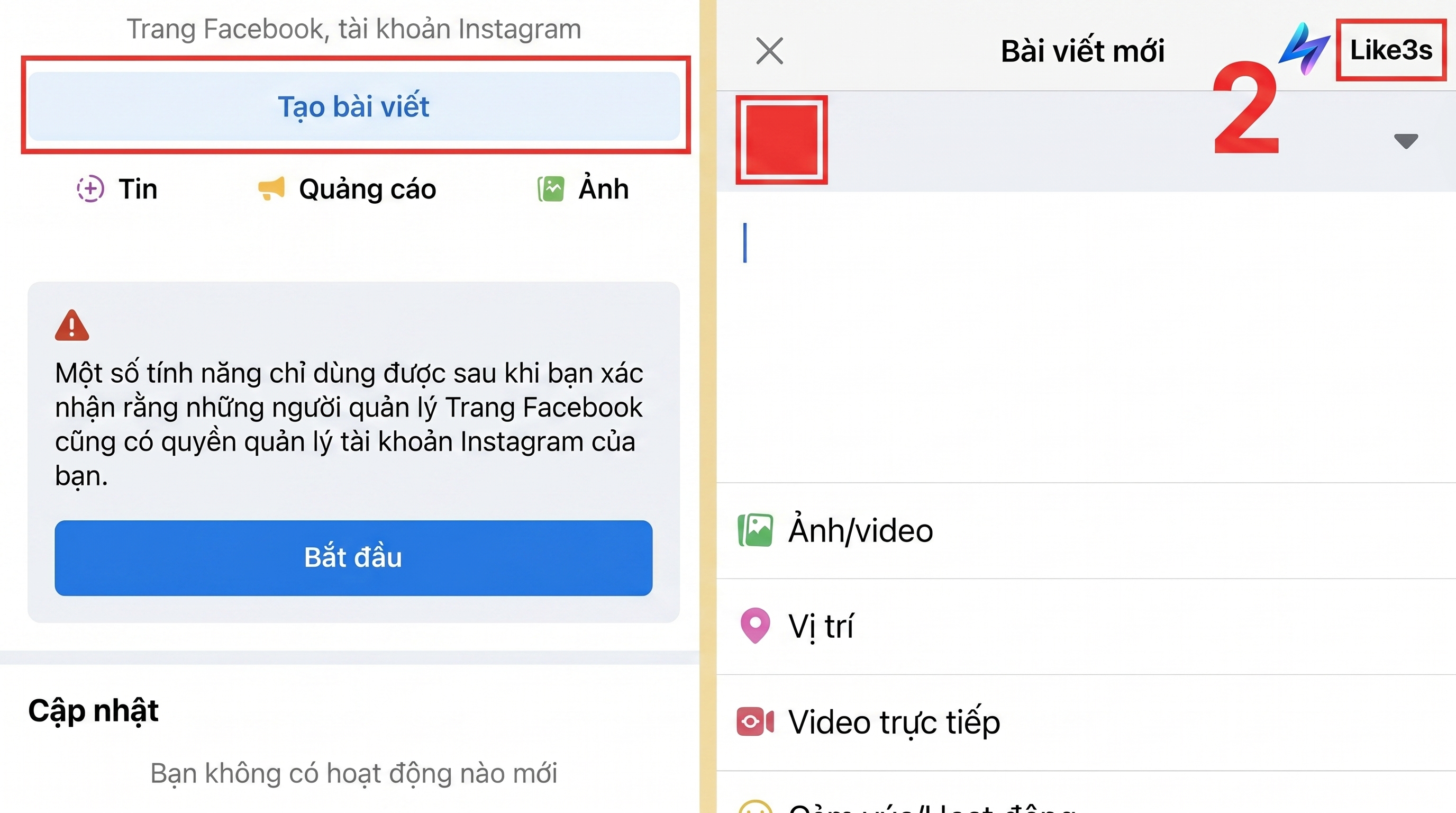
Step 1: Open the Facebook Business Suite app on your phone and log in with your page manager account.
Step 2: On the home screen, tap Create Post, enter your content, then tap Next.
Step 3: Select Schedule Post, then set your desired date and time and confirm.
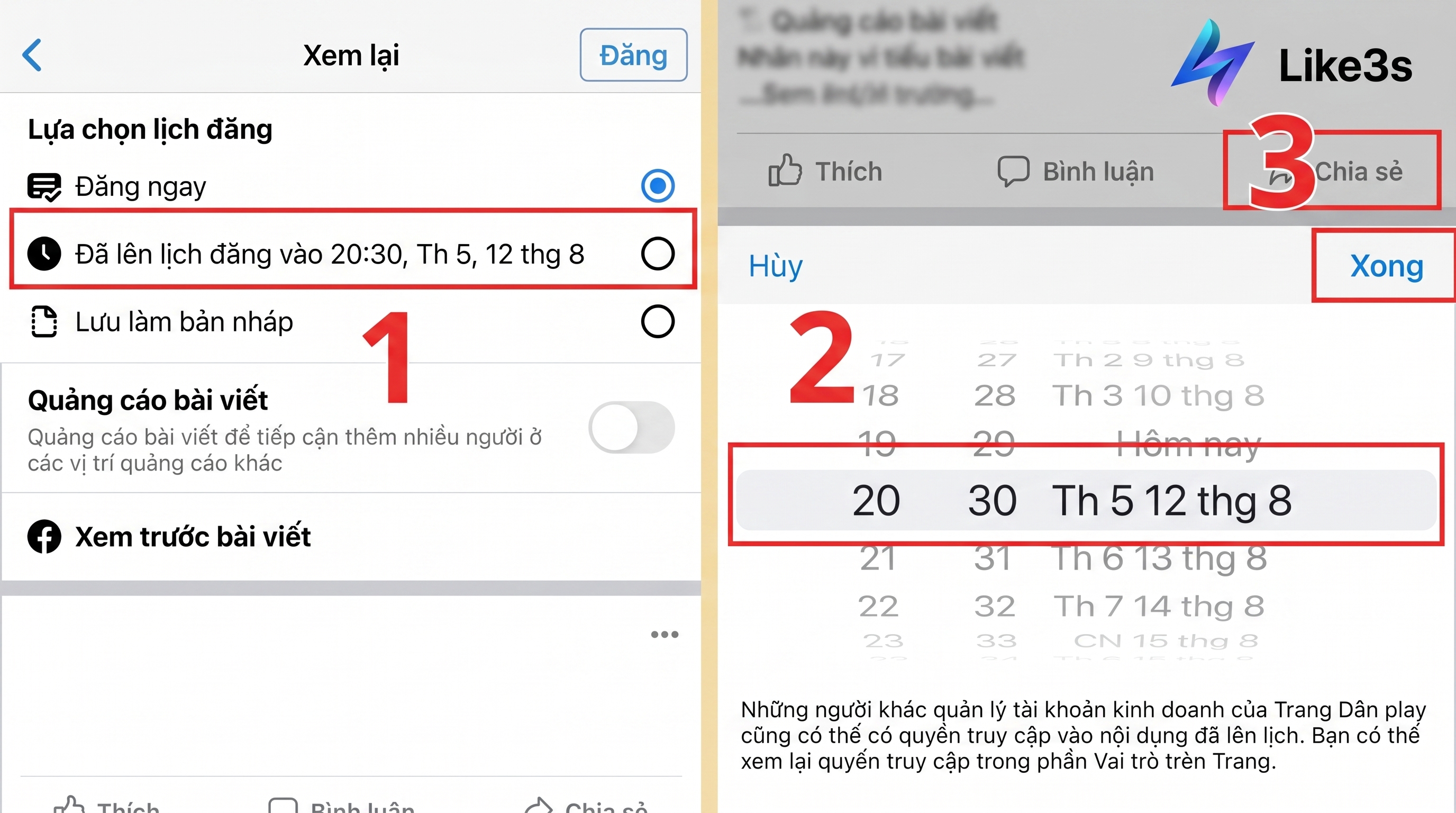
Step 4: Review the details and tap Done to save the post schedule for the selected time.
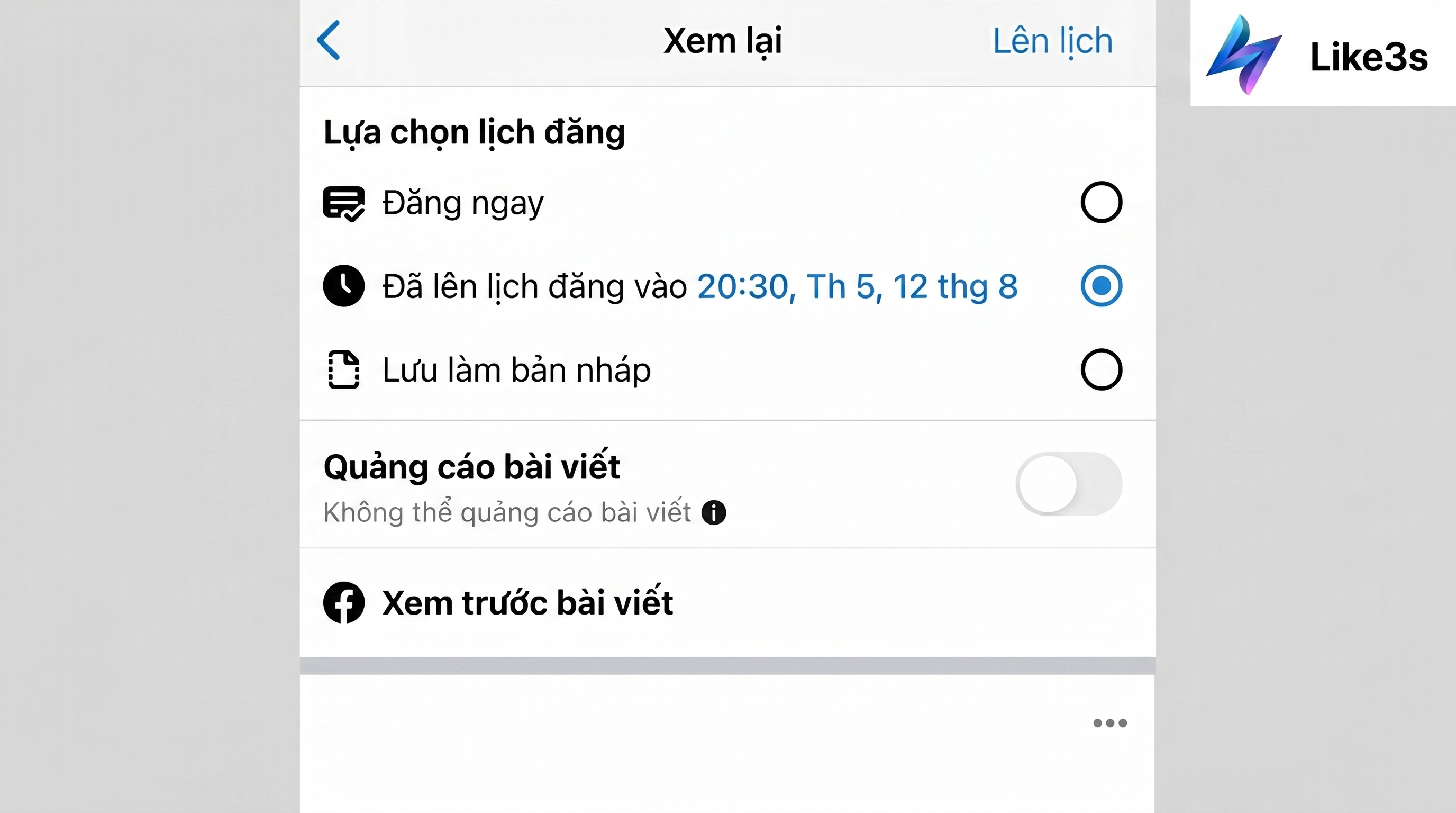
Key Tips When Scheduling Posts on Facebook
Post during optimal time slots:
7:00 AM – 8:00 AM: Morning hours when many people check Facebook after waking up.
11:00 AM – 1:00 PM: Lunch break period when users tend to browse Facebook more frequently.
7:00 PM – 9:00 PM: Evening — when users are relaxing and most actively engaging on Facebook.
10:00 PM – 12:00 AM: Late-night hours, suitable for users who have a habit of being online at night.
Internet connection: After setting up the schedule, make sure the save process is completed before closing the app.
Benefits of Using Facebook Post Scheduling
When using the automated post scheduling service, you will enjoy many benefits, including:
Optimize fanpage management time and reduce manual tasks
Content is published exactly according to the set schedule
Expand your reach to potential customers on Facebook
Support revenue optimization and brand awareness
Suitable for a wide range of users, from individuals to businesses
Facebook's post scheduling tool not only helps us take better control of content management but is also an optimal solution for boosting online business performance. If you're looking for a way to post consistently, on time, and without wasting effort, this is definitely a solution worth considering.
Contact Like3s today to get advice on the right automated Facebook post scheduling solution for your needs.
See also:
How to Add Music to Your Facebook Personal Profile from A to Z
A Beginner's Guide to Using TikTok Analytics Effectively
Facebook Ads Not Approved (Causes and Quick, Effective Solutions)
The Like3s content team — sharing algorithm insights, case studies and channel-building strategy.